
Download Ultrazip – Free, Secure, Fast Compression & Decompression Tool for Windows, Mac, Android, iOS
Ultrazip is a powerful, free compression and decompression software that simplifies file management across all major platforms. Whether you're compressing large project files, securing sensitive data, or sharing archives via email or FTP, Ultrazip delivers speed, security, and versatility in one lightweight package. With full support for ZIP, ZIPX, RAR5, ISO, TAR, GZIP, BZ2, XZ, and more, this tool handles virtually every archive format you’ll encounter.
It’s ideal for students, professionals, and casual users who want a reliable alternative to WinZip or WinRAR—without the cost or bloat. Ultrazip also supports advanced features like password encryption, self-extracting archives, multipart file handling, and ISO creation, all accessible through an intuitive interface. Regular updates ensure compatibility with the latest operating systems and enhanced security protocols.
Best of all? It’s completely free to download and use with no hidden fees or trial limitations.
Key Features of Ultrazip – Why It Stands Out
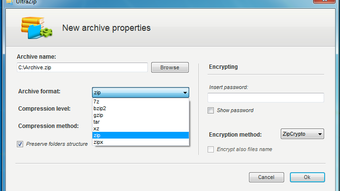
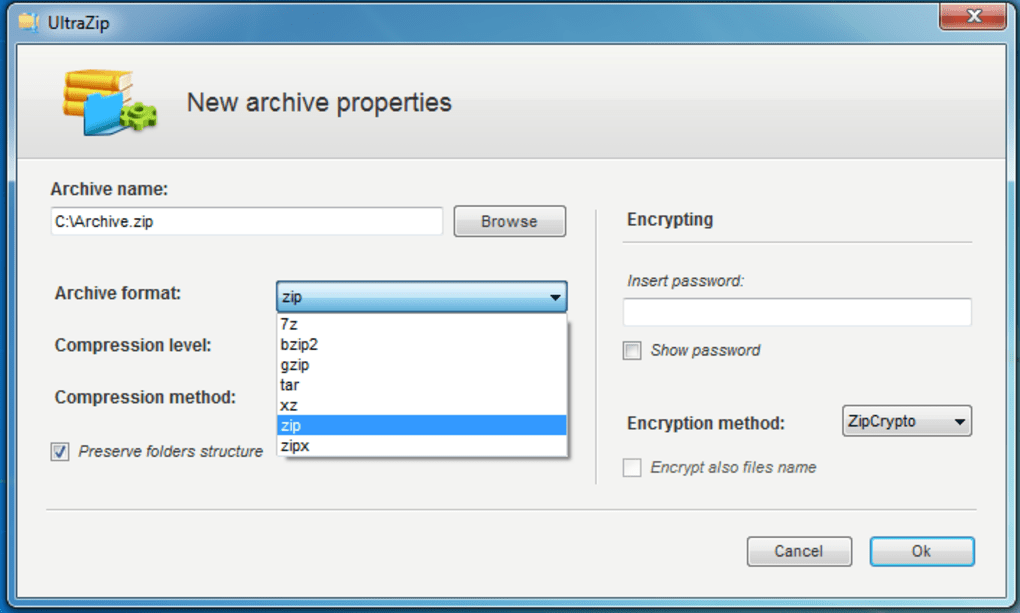
Ultrazip isn’t just another zip tool—it’s a full-featured file management suite designed for efficiency and security. One of its standout features is multi-format support, allowing users to compress and extract files in over 15 common formats, including modern ones like RAR5 and ZIPX. This eliminates the need for multiple software tools, streamlining your workflow. The software also enables password protection using AES-128 encryption, one of the most trusted security standards in the industry, ensuring your private documents remain safe from unauthorized access.
Another powerful feature is ISO image creation and management. Whether you're backing up software installations or preparing bootable drives, Ultrazip lets you create, mount, and extract ISO files with ease. For users who frequently share large files, the self-extracting archive (SFX) generator is a game-changer—no need for recipients to install additional software. Simply send the SFX file, and they can extract content with a single click.
Ultrazip also supports multipart archives, ideal for splitting massive files into smaller, manageable chunks for email or cloud storage. It integrates seamlessly with FTP servers and email clients, allowing direct uploads and secure sharing. The built-in file encryption and batch processing options further boost productivity. With a clean, responsive interface and minimal system resource usage, Ultrazip performs fast compression and decompression without slowing down your device.
How to Install and Use Ultrazip on Windows, Mac, Android, and iOS
Getting started with Ultrazip is simple and hassle-free. For Windows users, visit the official website and download the installer for your system (32-bit or 64-bit). Run the setup file, follow the on-screen instructions, and complete the installation in under a minute. Once installed, launch the app and you’ll be greeted with a minimalist dashboard that displays all your archive operations.
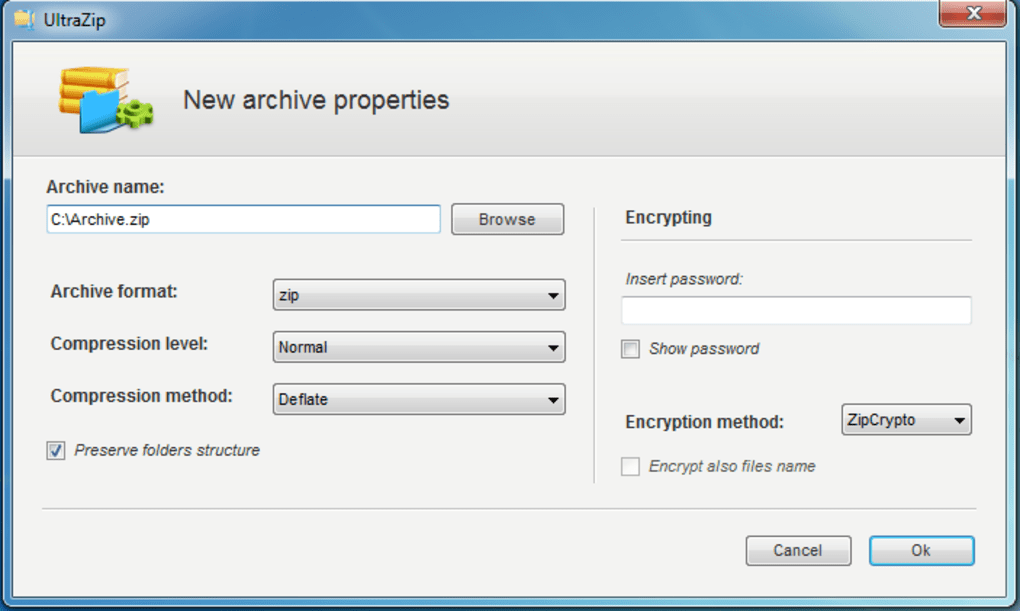
To compress files, simply drag and drop your desired files into the Ultrazip window, choose the output format (ZIP, RAR, ISO, etc.), set a password if needed, and click “Create.” For decompression, right-click any archive file and select “Extract with Ultrazip” from the context menu. You can extract to a specific folder or automatically create a new directory based on the archive name.
On Mac, the process is nearly identical—download the .dmg file, open it, and drag Ultrazip to your Applications folder. The app integrates with macOS’s native file system, so you can use it alongside Finder. Android and iOS users can download the mobile version from the Google Play Store or Apple App Store. The mobile app supports basic compression, password protection, and file sharing via email or cloud services.
For advanced users, Ultrazip offers command-line tools and batch processing scripts. You can automate repetitive tasks like compressing daily backups or encrypting sensitive folders. The software also includes a built-in file previewer, so you can check contents before extraction—perfect for avoiding unwanted file overwrites.
Compatibility: Works Across All Major Platforms
Ultrazip is designed with cross-platform accessibility in mind. It runs smoothly on Windows 7, 8, 10, and 11, including both 32-bit and 64-bit versions. The Mac version is optimized for macOS Monterey and later, ensuring compatibility with Apple Silicon (M1/M2) chips. This makes it a top choice for users working in mixed environments.
For mobile users, Ultrazip offers dedicated apps for Android (5.0 and above) and iOS (12.0 and later). These apps are lightweight, fast, and fully functional—ideal for on-the-go file management. Whether you're compressing photos before uploading to social media or securing a confidential document on your phone, the mobile version delivers the same robust features as the desktop version.
One of the biggest advantages of Ultrazip is its low system requirements. It uses minimal RAM and CPU during operations, so even older machines or low-end laptops won’t experience performance drops. It doesn’t require admin rights to install (on Windows), making it suitable for shared or restricted workstations. The software also supports cloud integration, allowing direct access to files stored on Google Drive, Dropbox, and OneDrive.
Pros and Cons: A Balanced Look at Ultrazip
- Pros:
- Completely free to download and use with no trial limitations
- Supports a wide range of archive formats including RAR5, ZIPX, and ISO
- Advanced encryption with AES-128 and ZipCrypto
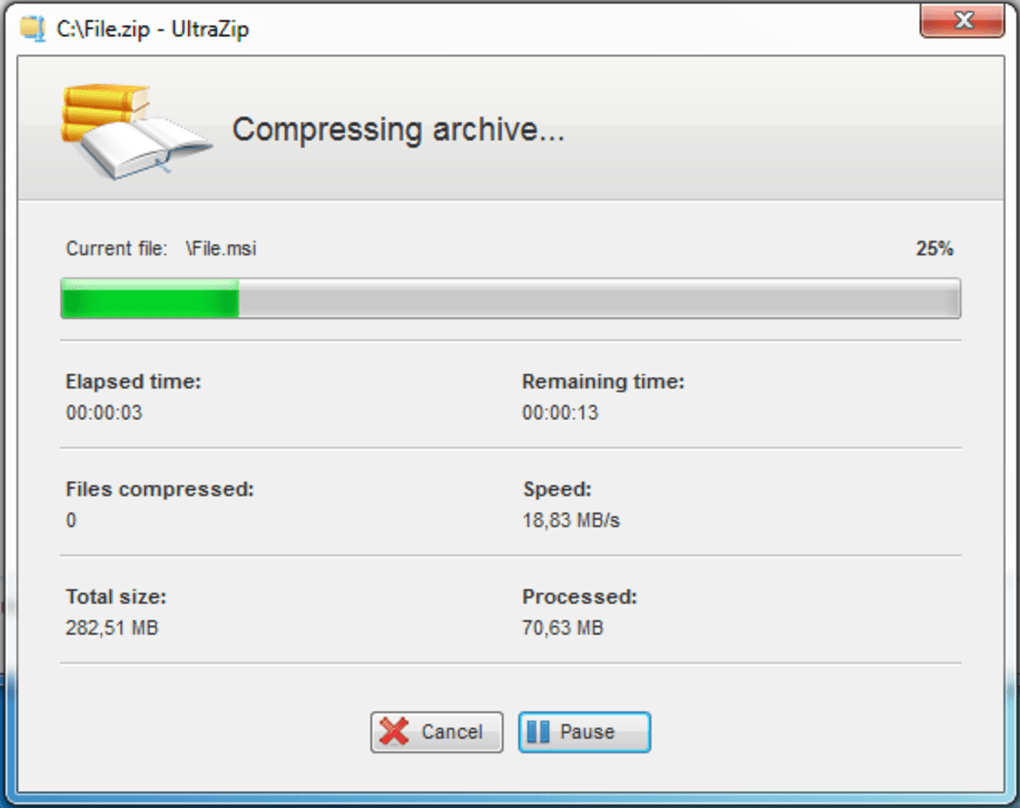
- Fast compression and decompression speeds
- Self-extracting archives and multipart file support
- Intuitive interface suitable for beginners and experts
- Regular updates for security and performance
- Available for Windows, Mac, Android, and iOS
- Cons:
- Limited advanced customization options compared to premium tools
- No built-in cloud backup feature (though it integrates with cloud services)
- Mobile app lacks some desktop-level features like batch processing
- Customer support is community-based, not 24/7
Frequently Asked Questions (FAQ)
Can I use Ultrazip for free forever?
Yes. Ultrazip is completely free to download, install, and use without any time limits or feature restrictions. There are no hidden charges, ads, or trial periods.
Is Ultrazip safe to download and install?
Absolutely. The official website uses HTTPS encryption and provides digital signatures for all downloads. No malware or spyware has ever been reported. Always download from the official site to ensure security.
Does Ultrazip support RAR5 files?
Yes. Ultrazip fully supports RAR5 format for both compression and extraction, making it compatible with the latest RAR archives created by WinRAR and other tools.
Can I create self-extracting archives with Ultrazip?
Yes. You can generate self-extracting (.exe) files that allow recipients to extract content without needing additional software. This is ideal for sharing files with non-technical users.
Is there a version for Linux?
Not currently. Ultrazip is available for Windows, Mac, Android, and iOS. However, Linux users can run it via Wine or use alternative tools like 7-Zip.
Final Verdict: Why You Should Download Ultrazip Today
If you're looking for a free, secure, and fast compression tool that handles everything from basic zipping to advanced file encryption, Ultrazip is one of the best choices on the market. It outperforms many paid alternatives with its comprehensive feature set, cross-platform availability, and user-friendly design. Whether you're a student managing project files, a professional securing client data, or a casual user organizing photos and documents, Ultrazip makes file management effortless.
With regular updates, strong encryption, and support for modern archive formats, it’s future-proof and reliable. The ability to create ISO files, generate self-extracting archives, and securely share files via FTP or email adds significant value. Best of all? It’s completely free—no strings attached.
Download Ultrazip now and simplify your digital life. Whether you're on Windows, Mac, Android, or iOS, this powerful tool is ready to help you compress, protect, and share files with confidence.







